Who Is Brick Mosaic Maker For? 8 Creative Ways to Use It
Who can benefit from Brick Mosaic Maker?
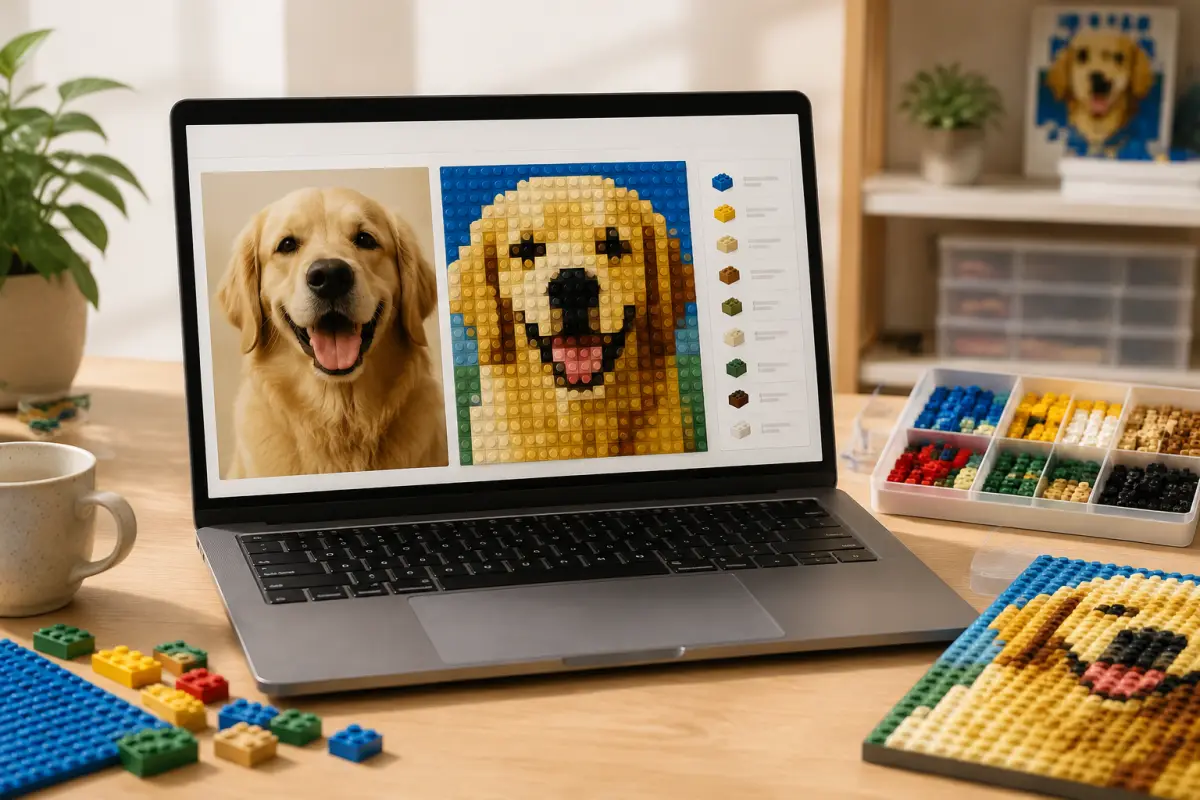
Brick Mosaic Maker turns a photo into a buildable color grid, calculates the pieces needed for each color, and creates a guide you can download or print. It is a practical choice for anyone who wants to plan custom brick artwork without learning complicated design software.
Who it is for
Eight groups that can make the most of it
From a weekend family activity to a large collaborative display, the tool adapts to different skill levels, budgets, and creative goals.
LEGO and brick-building fans
Create something more personal than a ready-made kit. Upload a portrait, character, landscape, logo, or artwork, then compare grid sizes and palettes before committing your bricks to the final design.
The generated color quantities provide a useful starting point for checking your collection and planning what you may need to buy.
Parents and families
Turn a family photo, pet portrait, or a child's drawing into a shared hands-on activity. Children can see how an image becomes a grid of colored pieces while practicing sorting, counting, and following a pattern.
Start with a simple 16 × 16 design for younger builders, or work together on a 48 × 48 pattern for a longer family project.
Teachers and STEM organizers
Use brick mosaics to explore grids, coordinates, counting, color matching, image resolution, and digital art. Students can compare the same photo at several grid sizes and discuss why a larger grid preserves more information.
The activity combines mathematics, art, technology, and systematic problem-solving in a visual format.
Artists and pixel-art creators
Quickly explore how a photo or illustration looks as limited-color, pixel-like artwork. Compare Classic, Soft, and Grayscale palettes without manually recoloring every cell.
The resulting grid can also inspire beadwork, cross-stitch, tile layouts, and other grid-based crafts.
Personalized gift makers
Design a memorable brick portrait for a birthday, anniversary, wedding, graduation, or holiday. A couple's photo, family portrait, favorite place, or meaningful symbol can all become a one-of-a-kind gift.
Generate several versions first so you can balance recognizable detail with your available budget and building time.
Pet owners
Pet portraits work especially well when the face is sharp and the background is simple. Crop around the animal and use a medium or large grid to preserve the eyes, ears, markings, and silhouette.
Adjust brightness for very dark or light fur, then compare Classic and Grayscale palettes to find the clearest result.
Clubs and community groups
Turn a mascot, event graphic, logo, or group photo into a collaborative build. Divide a large pattern into rows or sections so several participants can work together.
Use the parts list to estimate color quantities, then display the HD guide on a screen or print clearly labeled sections for each team.
Small businesses and creators
Explore brick-style versions of logos, icons, or campaign graphics for displays and personal craft projects. Bold shapes and a limited color range usually convert more clearly than small text or highly detailed artwork.
Make sure you have permission before reproducing third-party logos, characters, artwork, or other protected material.
When you may need another tool
Brick Mosaic Maker is intended for fast visual planning, not structural engineering. Specialized software may be a better fit when a project requires exact commercial inventory codes, complex three-dimensional instructions, advanced layering, or load-bearing calculations.
For a large installation, confirm the real brick dimensions, available colors, baseplate layout, mounting method, and total weight before purchasing materials.
A good fit if you want to…
- ✓Turn a photo, drawing, or logo into brick art.
- ✓Compare grid sizes, palettes, crops, and brightness quickly.
- ✓Estimate how many pieces are needed for each color.
- ✓Download an HD image or printable building guide.
- ✓Process your source image locally in the browser.
Try your first brick mosaic
Choose a clear image and generate a small test pattern. Refine the crop, palette, and brightness, then select a final grid based on the level of detail, cost, and building time you want.